Home › Docs › Addons › PDF Upload

PDF Upload
Free–$2 Import the first page of a PDF as a high-resolution image in the designer.
Standard — Signed, install-ready ZIP. Installs and updates through the in-app addon marketplace. + Source Access — Everything in Standard, plus full TypeScript/Vue source, sourcemaps, and build tooling (npm ci && npm run build) so you can customize it yourself. Unsigned — install manually, not through the in-app marketplace installer. Same license key as Standard.
What it does
PDF Upload lets customers upload a PDF and imports its first page as a high-resolution image layer, dropping straight into the normal image-upload flow afterward — a must-have for shops taking pre-made artwork from business customers who only have a PDF proof.
Rendering happens entirely in the browser using PDF.js, loaded lazily so it adds no weight for shops that don't use it — no PDF data is ever sent to the server.
How to enable
-
Install the addon (free)
Download the free PDF Upload ZIP from your Veyo account — no purchase needed.
-
Upload it in the Veyo Apps screen
In WordPress admin, open Veyo → Apps and upload the ZIP. Veyo verifies the package and installs it.
-
Enable it
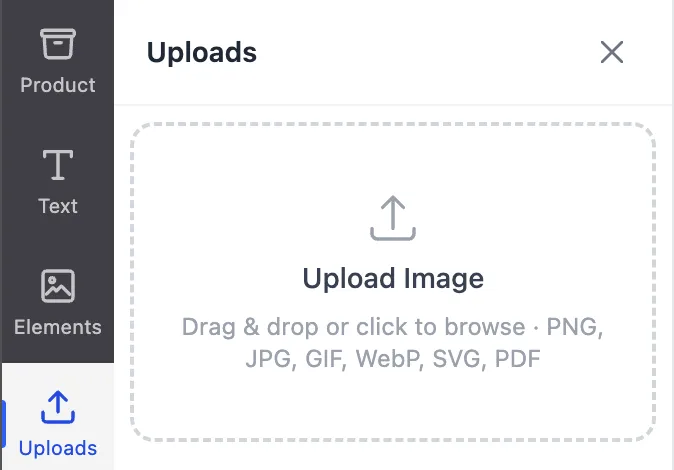
Toggle PDF Upload on. PDF becomes an accepted file type in the designer's upload panel automatically.
How to use it
-
Customer uploads a PDF
In the upload panel, the customer selects a PDF file instead of an image.
-
First page renders as an image
Veyo renders the first page to a high-resolution image entirely in the browser.
-
Continues like any upload
The resulting image behaves like a normal upload — it can be cropped, filtered, positioned, and resized.
FAQ
Does the PDF ever get uploaded to the server?
No — rendering happens client-side; only the resulting rendered image is used going forward.
What if the PDF has multiple pages?
Only the first page is imported. Customers with multi-page artwork should export the specific page they need as a PDF first.