Home › Docs › Addons › Privacy

Privacy
Free GDPR tools for the product designer: store-hosted Google Fonts, consent for third-party services and data requests by email.
Free, no license key needed. Works on WordPress / WooCommerce, OpenCart 3 & 4, PrestaShop 8 & 9 and Shopware 6.6 / 6.7 with Veyo 1.8.0 or later.
What Privacy does
A product designer stores what shoppers type and upload, plus their e-mail address when they save or order a design. Privacy adds a Privacy screen to the Veyo admin with four tabs: answer export and erase requests, decide which third-party services shoppers' browsers may reach, and get policy text and records that match what your store actually runs.
It is not a cookie banner: keep using your platform's own banner or consent plugin. The generated texts are a starting point, not legal advice.
How to enable Privacy
-
Install the addon (free)
Get the free Privacy ZIP — no purchase or license key needed.
-
Upload it in the Veyo Apps screen
Open Veyo → Extensions and upload the ZIP. Veyo verifies the package and installs it.
-
Enable it and check the settings
Toggle Privacy on, then open Veyo → Privacy. Google Fonts are served from your store and third-party services wait for consent right away; fill in the controller name and e-mail for the policy text.
At a glance
| Version | 1.0.1 |
|---|---|
| Platforms | WordPress / WooCommerce, OpenCart 3 & 4, PrestaShop 8 & 9, and Shopware 6.6 / 6.7. |
| Requires | Veyo Product Personalizer 1.8.0 or later. No other addon is required. |
| Where settings live | Veyo → Privacy: Data requests, Settings, Policy text, Records (Art. 30). |
| Server tools / outside services | Downloads Google Fonts files once to your store. Does not send customer data anywhere. |
Data requests
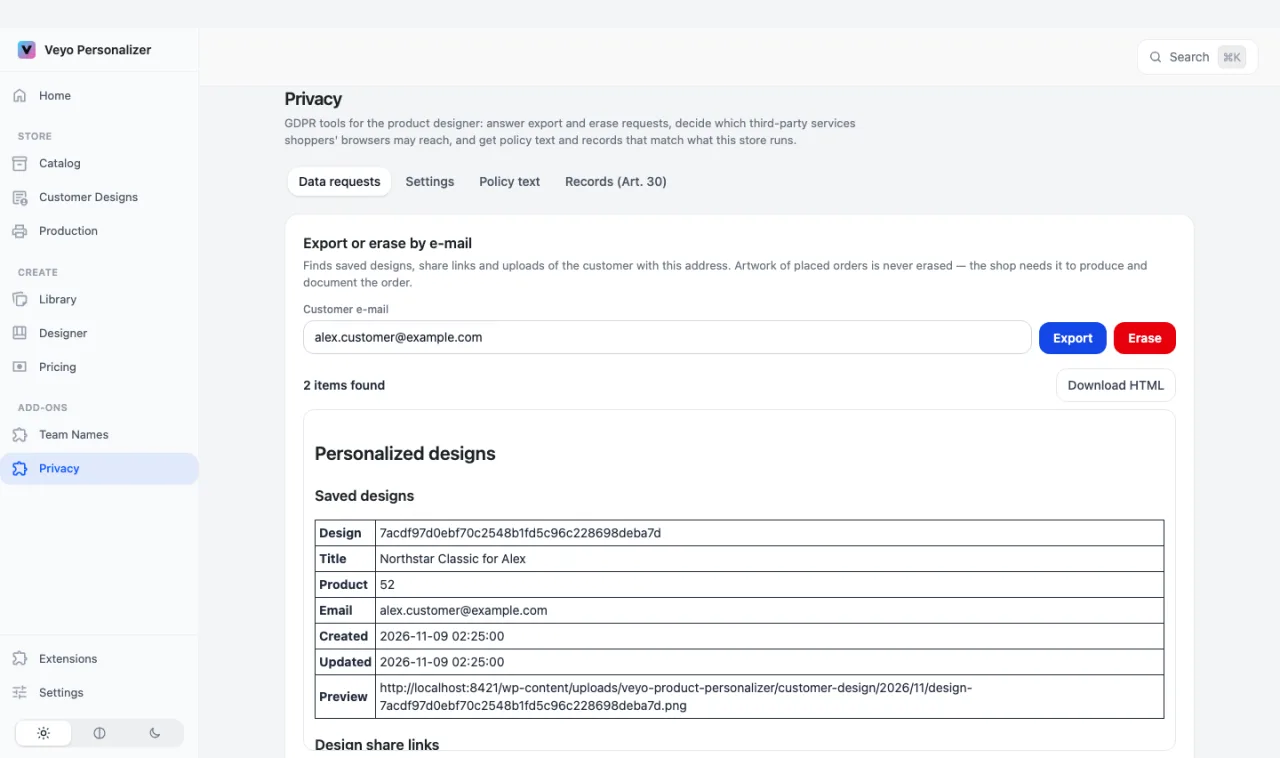
Type the customer's e-mail address and press Export or Erase. Privacy finds that customer's saved designs, share links and uploads, on every platform — this matters most on OpenCart 3 and Shopware, which have no GDPR tool of their own. An export lists what was found and can be downloaded as HTML for the customer.
Artwork of placed orders is never erased: the shop needs it to produce and document the order. Every request is written to a request log with a masked address, including requests run from WordPress' own Export / Erase Personal Data tools and from PrestaShop's psgdpr.
Settings
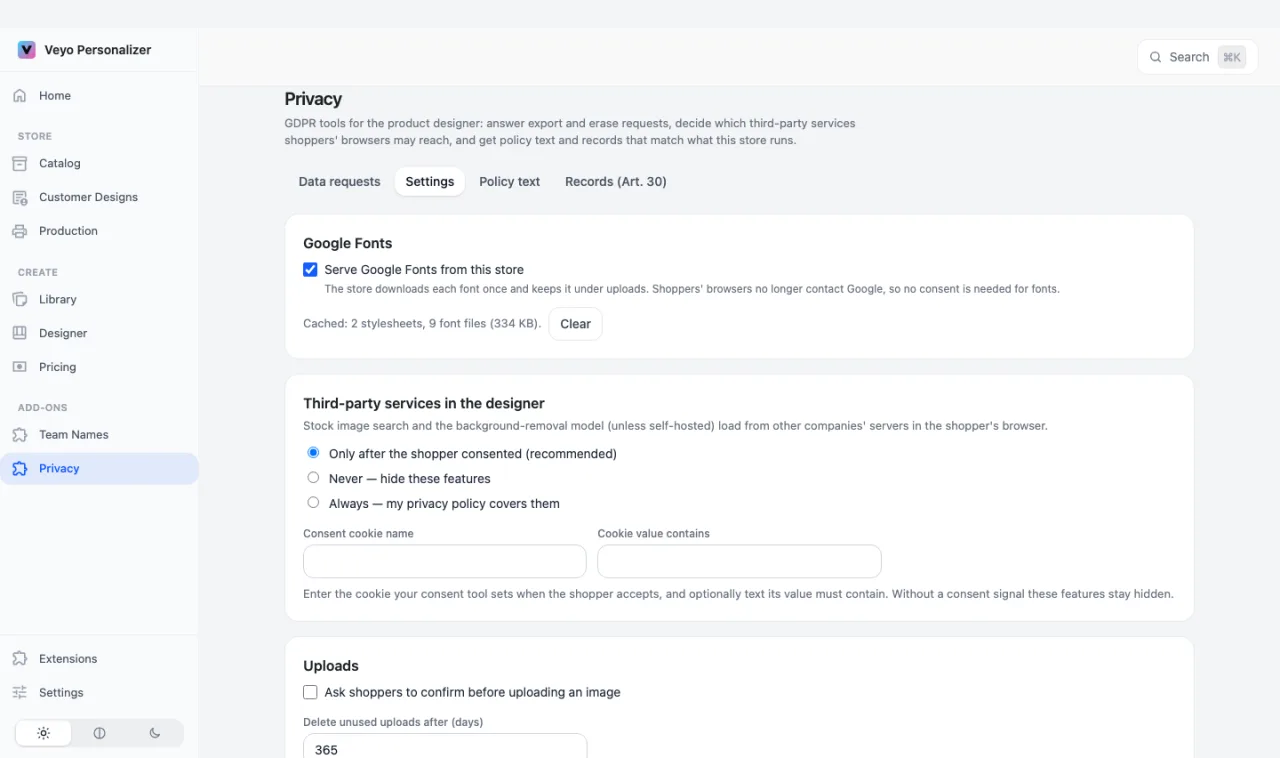
- Google Fonts: Serve Google Fonts from this store (on by default). Each font is downloaded once and kept under your uploads folder, so shoppers' browsers never contact Google — in the designer and in the fonts embedded in the print file. The tab shows how many files are cached and a Clear button.
- Third-party services in the designer: stock image search (Pixabay, Openverse) and the hosted background-removal model (unless self-hosted) load from other companies' servers. Choose Only after the shopper consented (default), Never (hide these features) or Always (your privacy policy covers them). Consent is read from the WP Consent API (Complianz, CookieYes and others), Shopware's cookie settings (a Product designer – external services group is added for you), or the cookie of any other consent tool. Shop staff always see these features.
- Uploads: optionally ask shoppers to tick a box before uploading an image. Each upload records the version of the text it was accepted with, and every version is kept. Optionally delete uploads that no cart, order or saved design uses after a number of days (0 keeps them).
- Controller: company name and e-mail used in the policy text.
Policy text
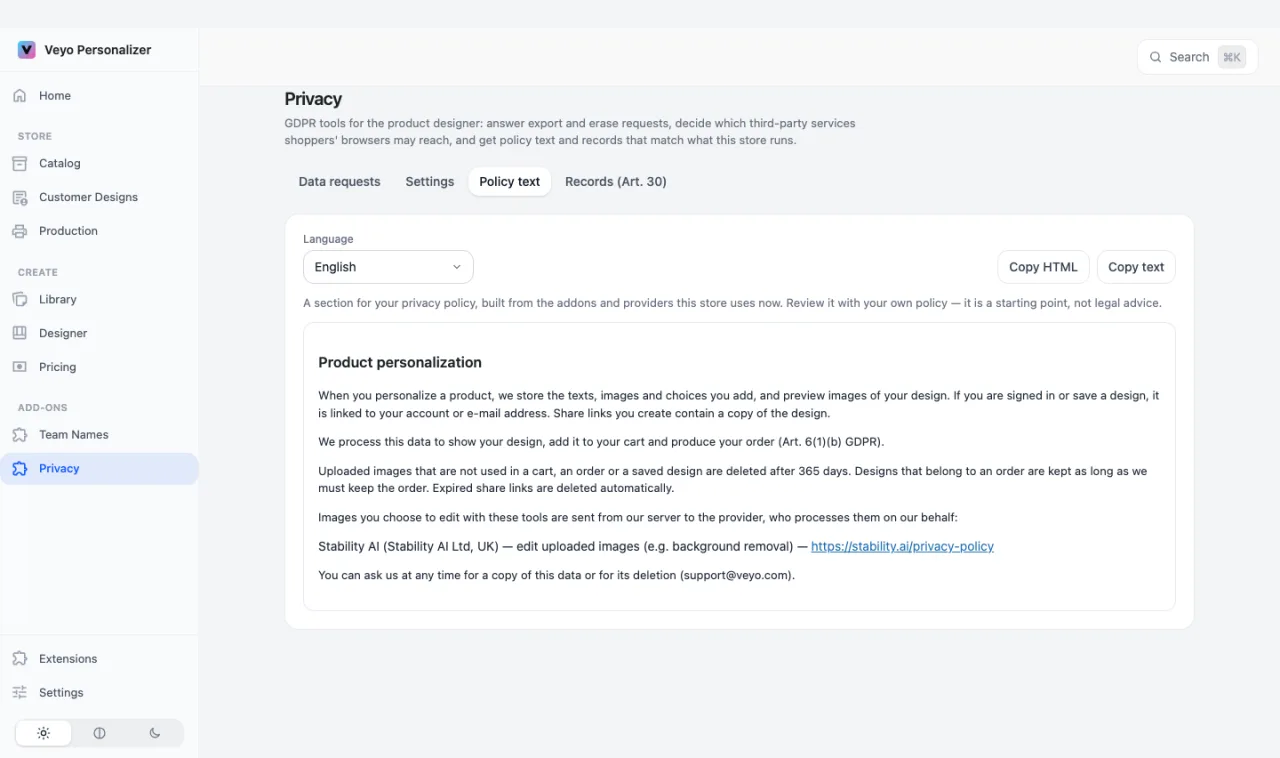
A section for your privacy policy in English, German, French, Italian, Spanish or Dutch, built from the addons and providers this store uses now and from your Settings. Use Copy HTML or Copy text and paste it into your own policy. The tab is read-only: change the settings or addons and the text follows. Review it alongside your own policy — it is a starting point, not legal advice.
Records (Art. 30)
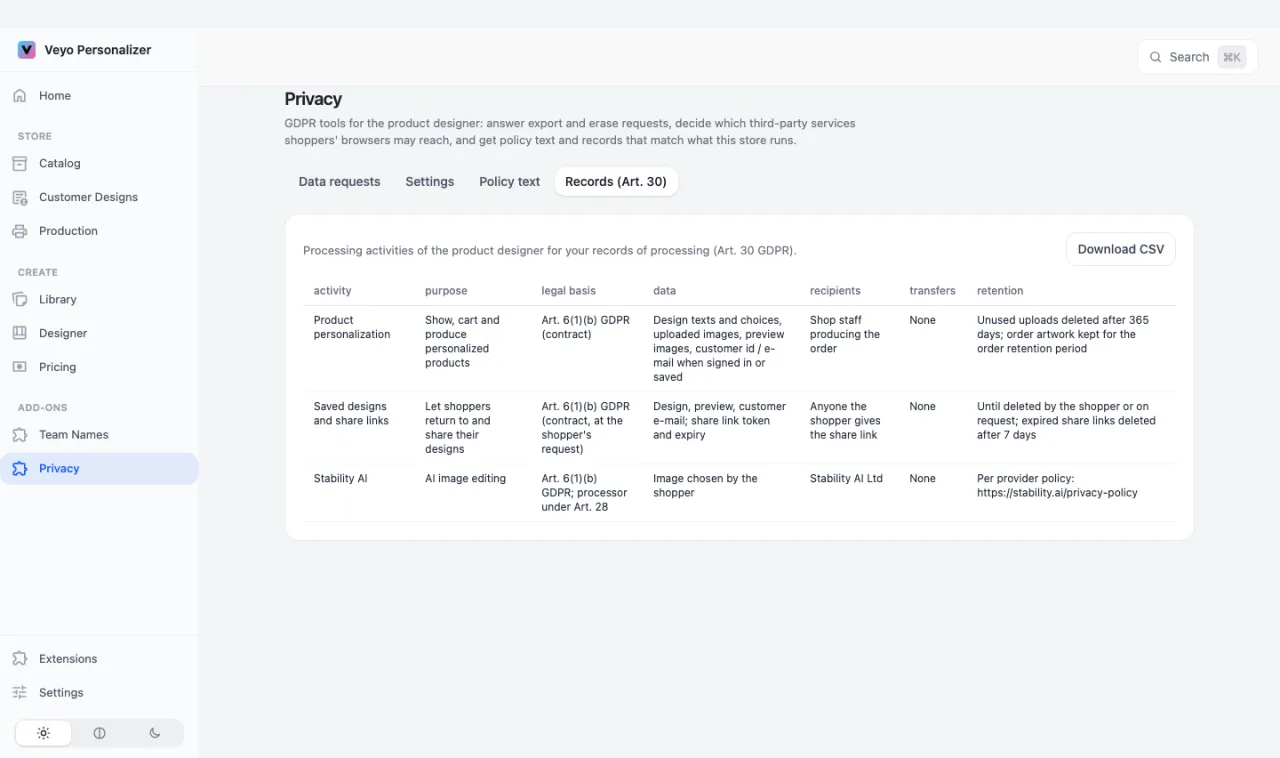
The processing activities of the product designer for your records of processing: activity, purpose, legal basis, data, recipients, transfers and retention. Press Download CSV to add them to your records. Like the policy text, the table is built from what the store runs and is read-only.
Data and privacy
- Stored: its settings, every version of the upload consent text, and a request log (masked address, newest 500 entries). Cached Google Fonts files live in your uploads folder.
- Outside services: none for customer data. Server-side AI image tools (remove.bg, PhotoRoom, Stability) are listed in the policy text, but their use is not gated by consent: they send an image only when the shopper uses the tool.
- Page cache: designer pages are sent with
Cache-Control: private, no-store. If a full-page cache or CDN ignores that, exclude the designer pages, or one shopper's consent choice can be served to another. - Turning the addon off deletes the cached font copies. See Uninstalling & your data.
FAQ
Is this a cookie banner?
No. Privacy reads the consent your existing banner or consent plugin records; it does not show a banner of its own.
Can I edit the policy text or the records?
Not in the addon. Both tabs are generated from the active addons and your Settings so they stay accurate. Copy the text or download the CSV and edit your own copy.
Does Erase delete order artwork?
No. Designs that belong to an order are kept as long as the order must be kept; the customer's saved designs, share links and uploads are erased.
Installing, updating and removing
- Install: upload the ZIP in Extensions, then enable it. See Install addons.
- Update: upload the newer ZIP over the old one. Settings and data are kept. See Upgrading.
- Remove: Uninstall on the addon card removes its files and keeps its data, so reinstalling restores everything. See Uninstalling & your data.