Home › Docs › Addons › Default Text Layer

Default Text Layer
Free–$1 Configure the default text layer used by the designer's Add Text button.
Standard — Signed, install-ready ZIP. Installs and updates through the in-app addon marketplace. + Source Access — Everything in Standard, plus full TypeScript/Vue source, sourcemaps, and build tooling (npm ci && npm run build) so you can customize it yourself. Unsigned — install manually, not through the in-app marketplace installer. Same license key as Standard.
What it does
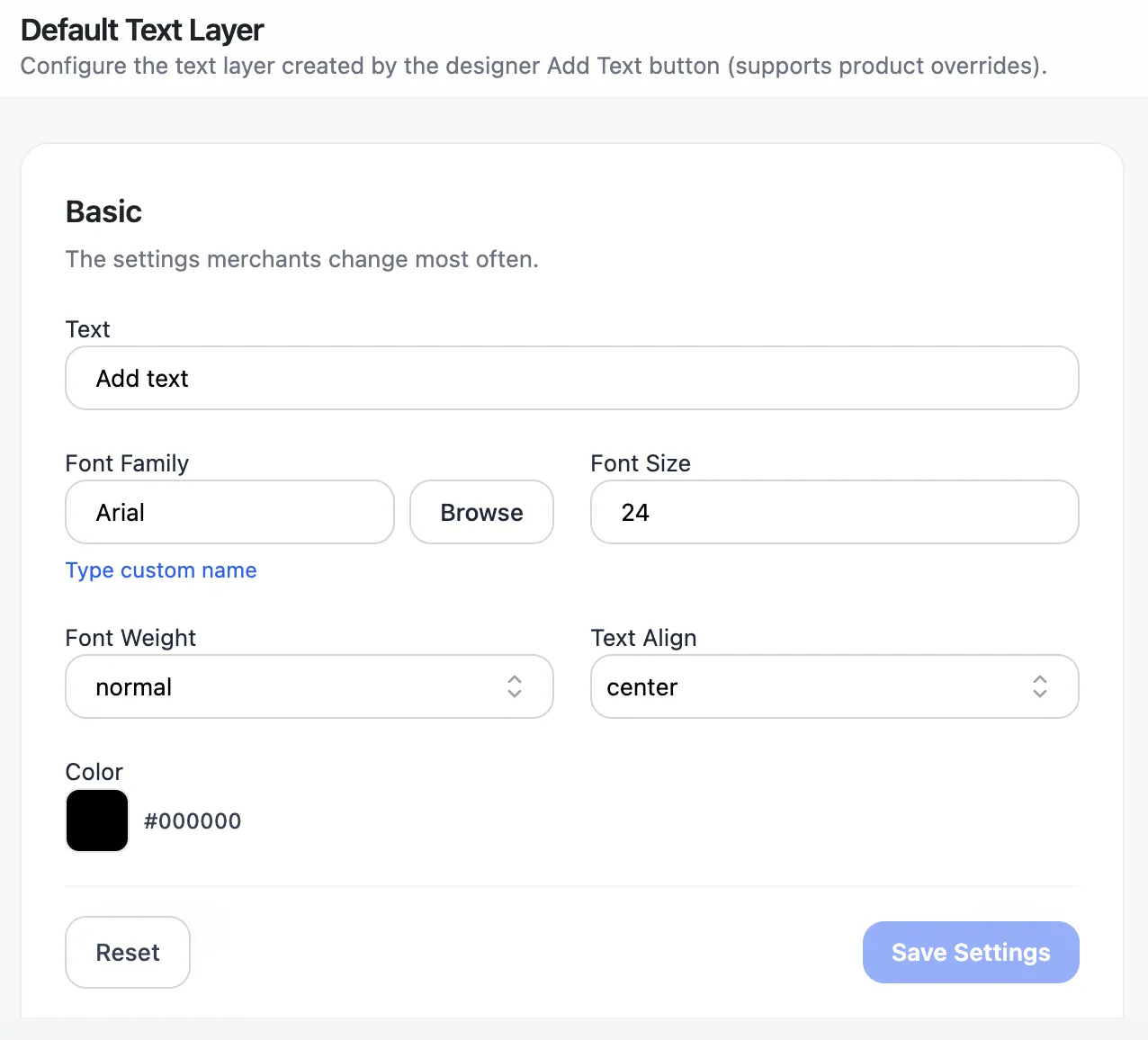
Default Text Layer controls exactly what appears when a customer clicks Add Text in the designer — the starting wording, font, size, color, and decoration — instead of a generic placeholder like "Your text".
Set a global default that applies to every product, then override the basic, advanced, or decoration settings per product from the product edit screen when a specific product needs a different starting point.
How to enable
-
Buy the addon
Your Lemon Squeezy receipt email (and "My Orders" page) contains the addon ZIP.
-
Upload it in the Veyo Apps screen
In WordPress admin, open Veyo → Apps and upload the ZIP. Veyo verifies the package and installs it.
-
Enable it
Toggle Default Text Layer on, then set your global defaults from Veyo → Default Text Layer.
How to use it
-
Set the global default
From the admin settings screen, choose the default wording, font, size, color, and decoration used everywhere "Add Text" is clicked.
-
Override per product (optional)
On a specific product's edit screen, override the Basic, Advanced, or Decoration groups if that product needs different defaults.
-
Customer clicks Add Text
The new text layer starts pre-filled with your configured defaults instead of a blank placeholder.
FAQ
Can customers still change the text?
Yes — the default is only a starting point. Customers can edit the wording, font, size, and color exactly as they could before.
Does a product-level override affect other products?
No. Overrides are scoped to the specific product; every other product keeps using the global default.