Home › Docs › Addons › Make It Mine

Make It Mine
$29 Personalized products with a live preview: shoppers answer a short form on the product page and watch the product redraw with every answer.
Platforms: WooCommerce, OpenCart 4, PrestaShop 8 & 9 and Shopware 6.6 / 6.7. Version: 1.0.6. Price: $29.
Every purchase is a single signed, install-ready ZIP that also includes full TypeScript/Vue source, sourcemaps, and build tooling (npm ci && npm run build) if you want to customize it yourself. Installs and updates through the in-app addon marketplace.
Also live on the Shopware, PrestaShop and OpenCart demos. Prefer something simpler? Try the Cat Lover Mug on WordPress or PrestaShop.
What Make It Mine does
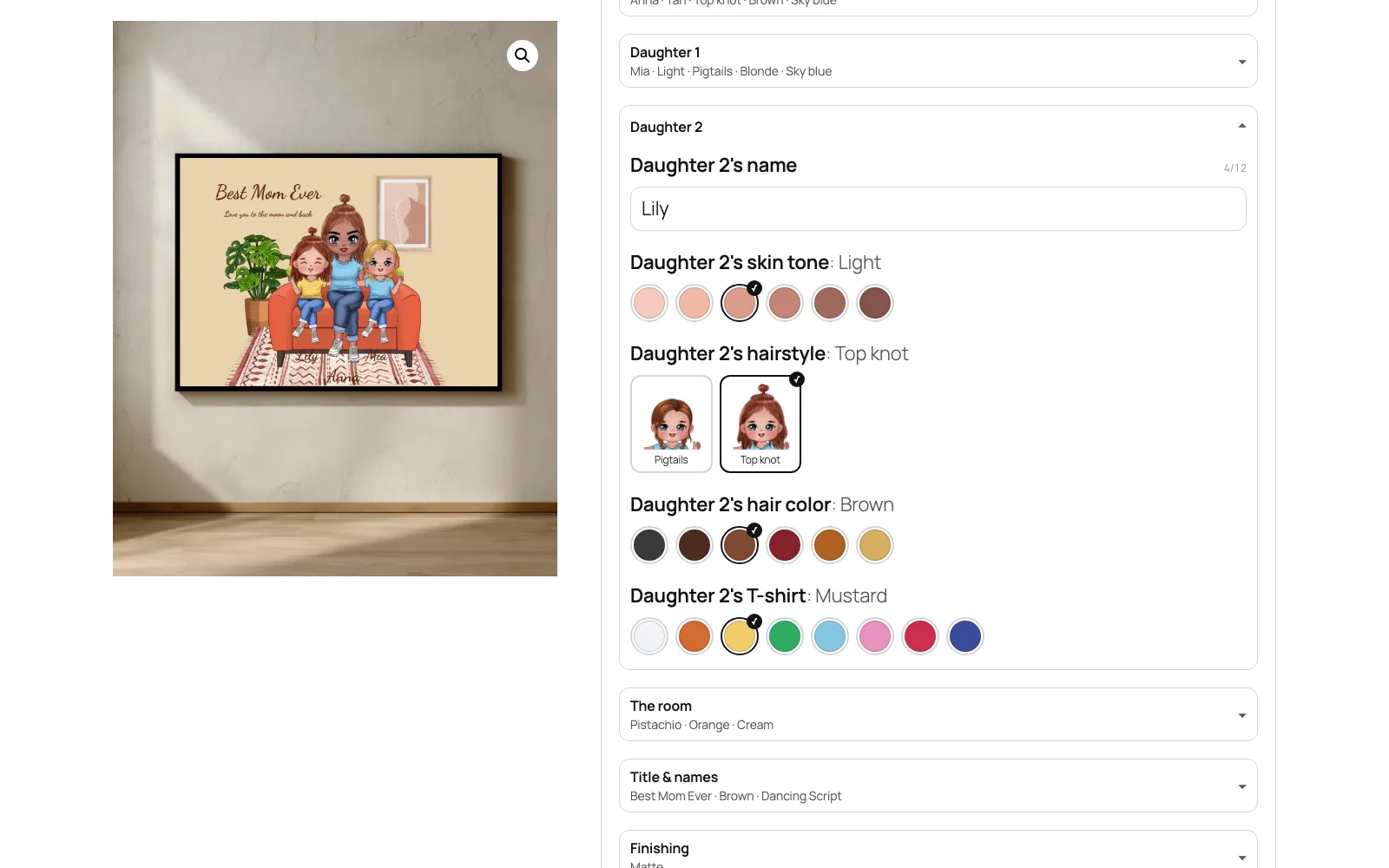
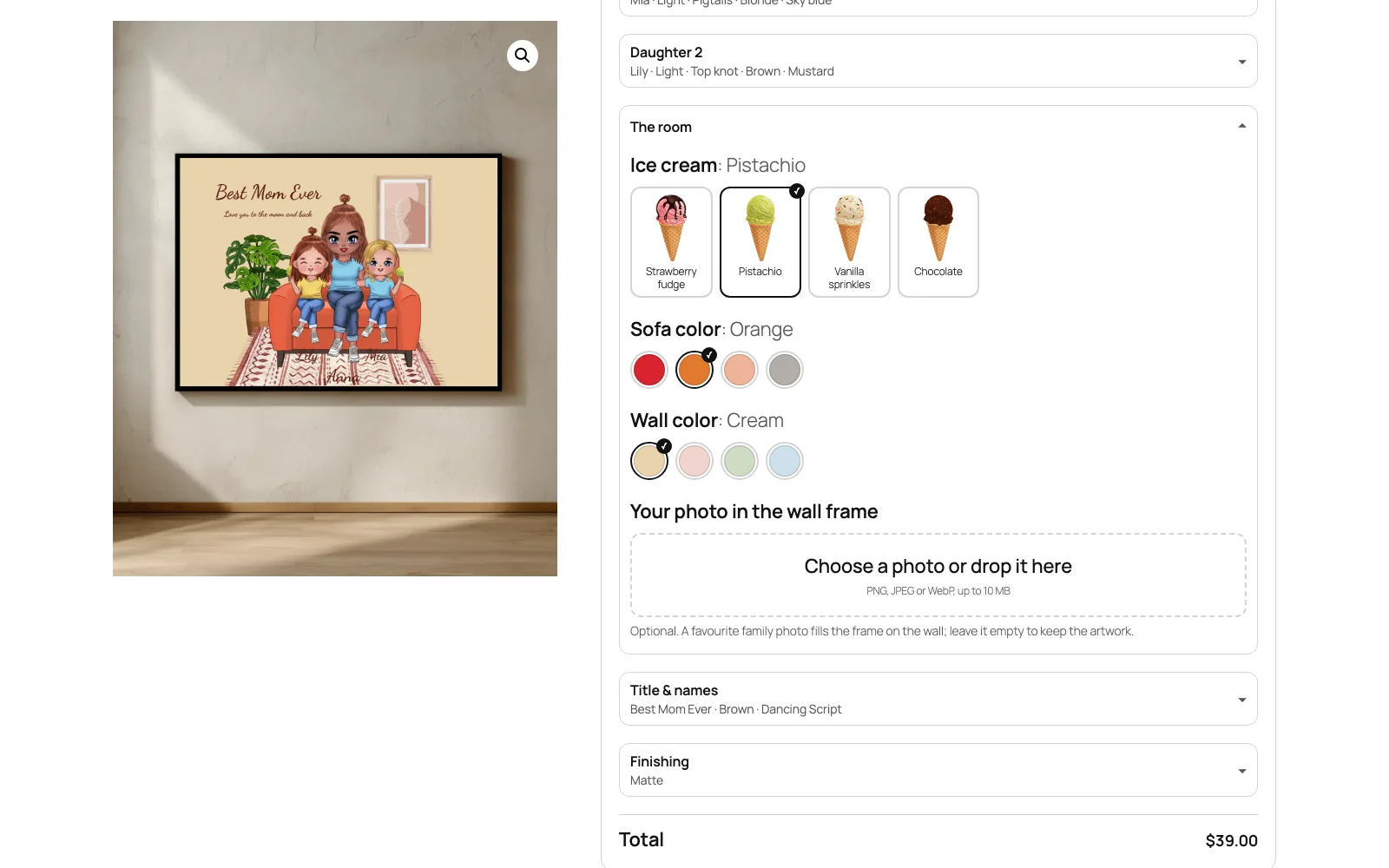
Make It Mine turns a product into a guided personalization: “How many daughters?”, “Mom’s name”, “Sofa color”, “Your photo in the wall frame”. Shoppers never open a full design editor. They answer a short form on the product page, the product picture redraws with every answer, and they add to cart and check out as usual.
You build each template once on a Veyo catalog product: the layers in Design Studio, then the questions and the rules that connect answers to layers. No code is needed. Every order line gets a print file at the print area’s physical size.
It stands alone: it only needs the Veyo core. It does not need Templates & Smart Layouts, Smart Configurator or Print Queue. On a product that shows one of its templates, the form replaces the core Customize button.
How to enable Make It Mine
-
Buy the addon
Your Polar purchase email (and the Polar customer portal) contains the addon ZIP.
-
Upload it in the Veyo Apps screen
In your store admin, open Veyo → Apps and upload the ZIP. Veyo verifies the package and installs it.
-
Enable it
Toggle Make It Mine on. It adds a Make It Mine tab under Catalog, where you build templates.
Building a template
-
Start from a sample or a base product
In Catalog → Make It Mine, choose Start from a sample (“One-line cats mug”, “Girl who loves her cat mug” or, from 1.0.6, “Mom & Daughters Portrait”) or New template on a Veyo catalog product, which brings its print area, mockup and colors.
-
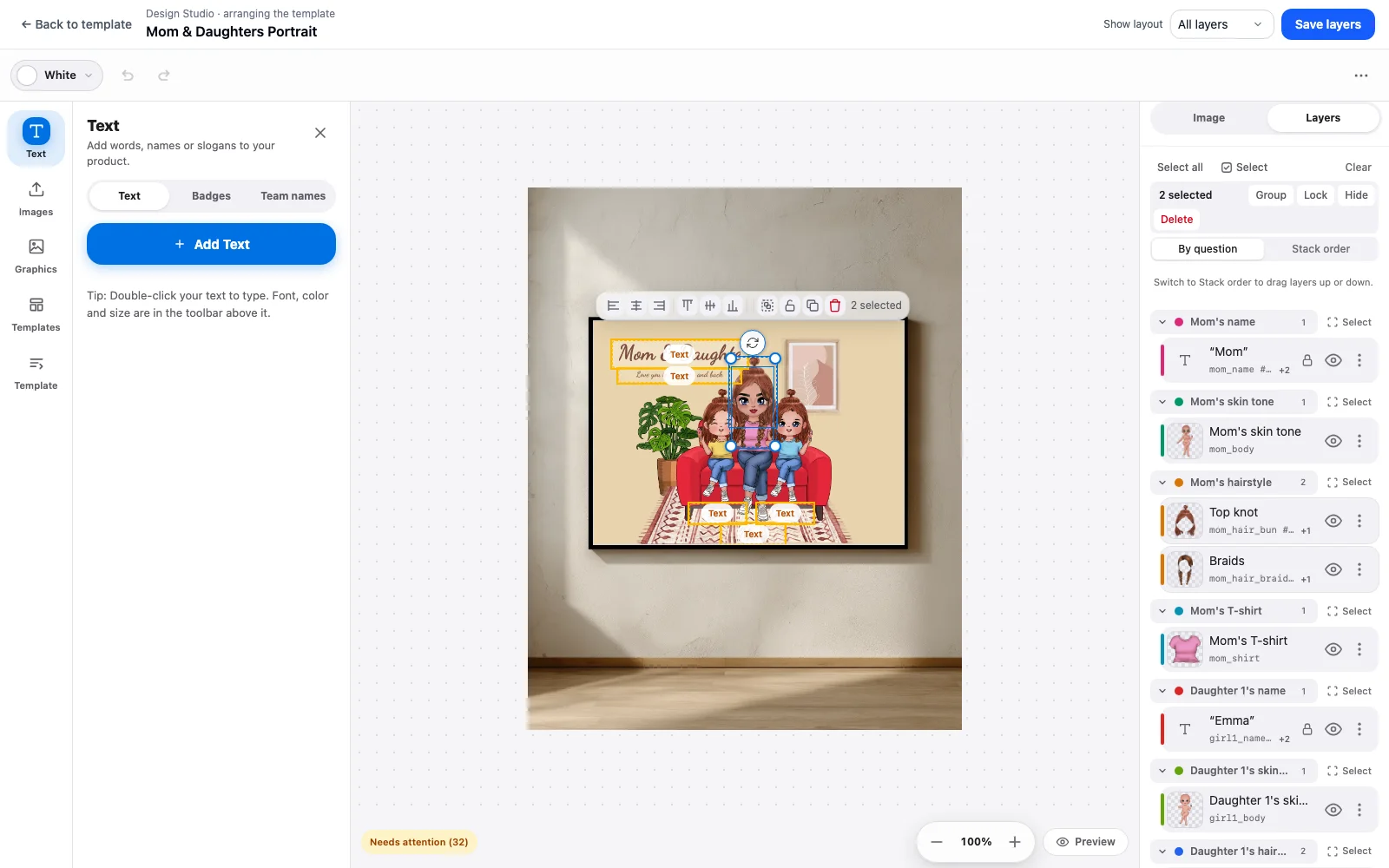
Arrange the layers in Design Studio
The Template panel tags the selected layer: a Key for the one layer a field fills (
name_1,photo,hair), Tags for layers one answer changes together (a shared line color or font) and Layouts for the arrangements the layer belongs to. Save layers to template stores the canvas.The Layers tab has a By question view: layers are grouped under the question that drives them, and Select picks the whole group at once. Stack order is the usual drag-to-reorder list, and Show layout previews one arrangement at a time (for example 1 or 2 daughters).
-
Write the questions
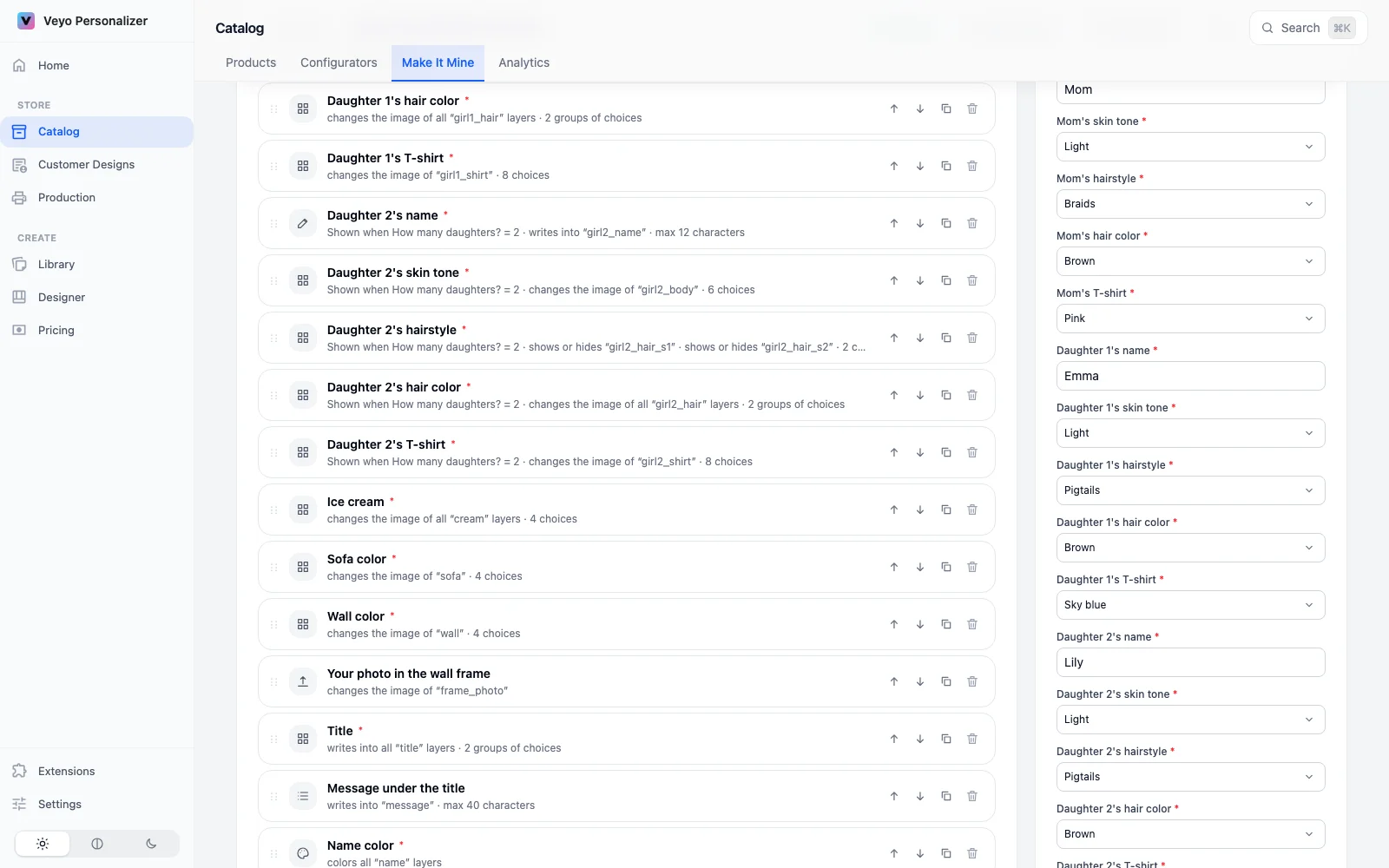
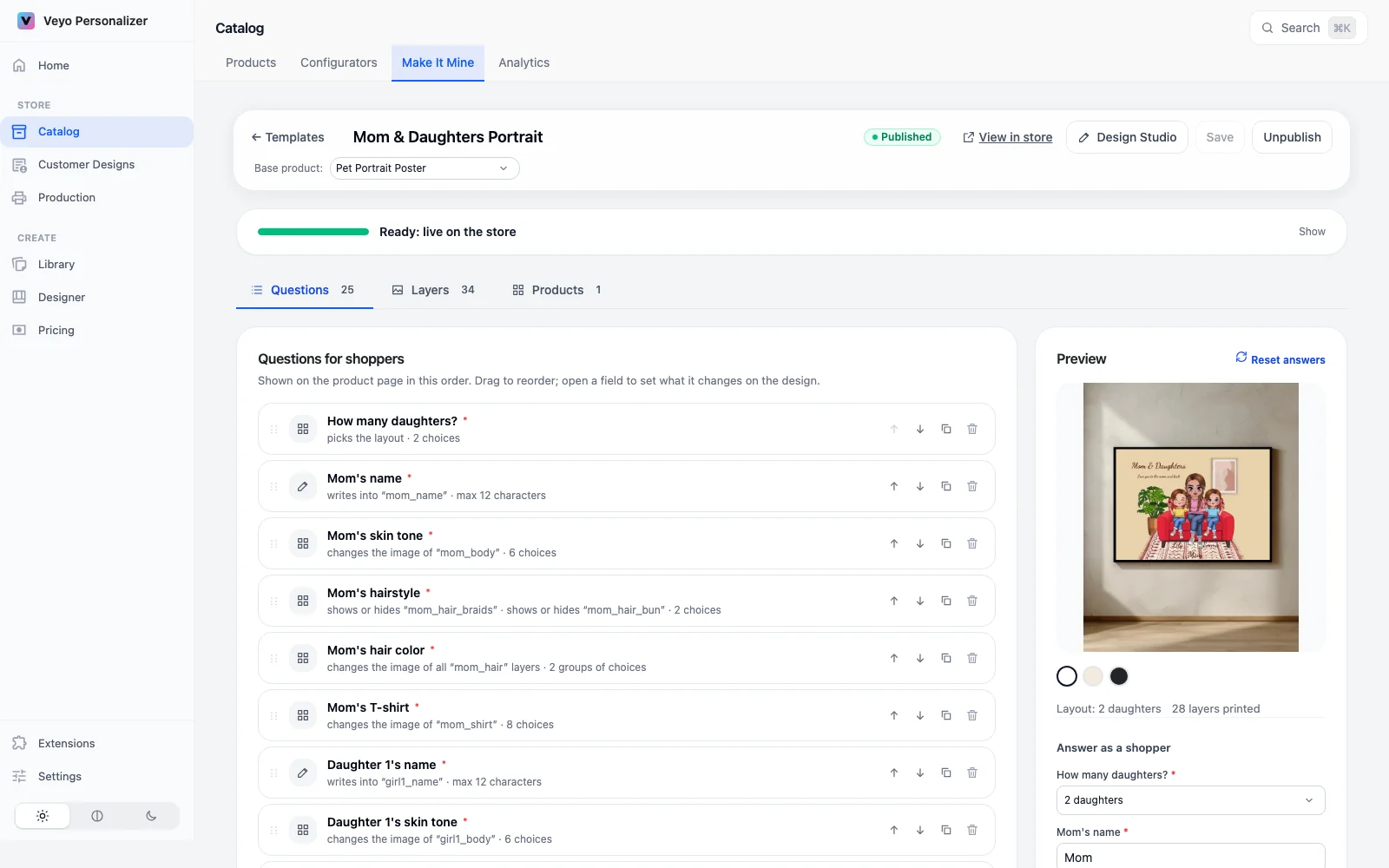
On the Questions tab, add the fields shoppers fill in and link each one to a key or tag. Try it runs the rules with sample answers in the preview beside it.
-
Attach products and publish
On the Products tab, pick the store products that show the template (products on another base product get the design fitted to their print area), then Publish.
Question types and rules
| Type | Shopper sees | Typical link |
|---|---|---|
| Text / multi-line text | An input with a character counter (max length, letter case) | Set text on a key |
| Choice list | Buttons, dropdown, color swatches with readable names, or pictures; optional surcharge per choice, shown with your store’s tax setting | Set image, set color, show or hide |
| Color | Swatches, plus any color or hex when you allow it | Set color on a tag |
| Font | The fonts you list | Set font on a tag |
| Photo upload | A file picker (PNG, JPEG, WebP) | Set image on a key |
- Show this field when: rules on other answers (all or any; is, is not, is one of, is none of, is answered, is empty).
- Repeat by a count: one copy per unit of another answer, such as Child {i} name for each child.
- Choices that depend on another answer: a set of choices for each value of another field, such as hairstyles drawn in the chosen hair color or the fur colors of the chosen breed.
- Layouts: one answer, such as How many daughters?, picks the whole arrangement.
What shoppers see
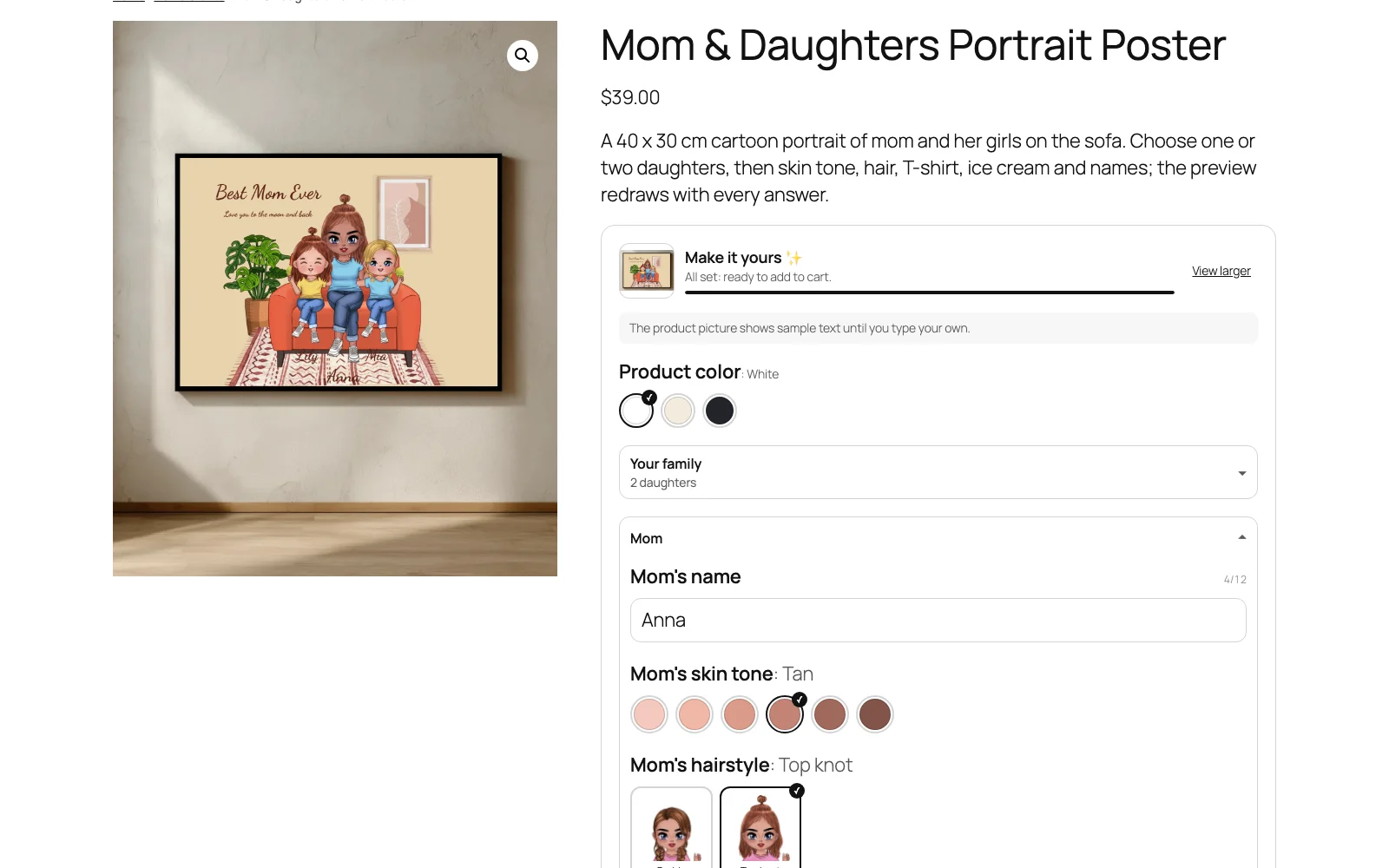
- A Make it yours form on the product page with a progress bar. The product picture is a live mockup that redraws as the shopper types or picks.
- On a phone, a bar under the form shows the design and opens a larger view with Close-up and Whole product.
- Fields appear and disappear as answers change, and choice lists follow the answers they depend on.
- An optional answer left empty prints nothing, never the template’s sample text or picture.
What you get in orders and production
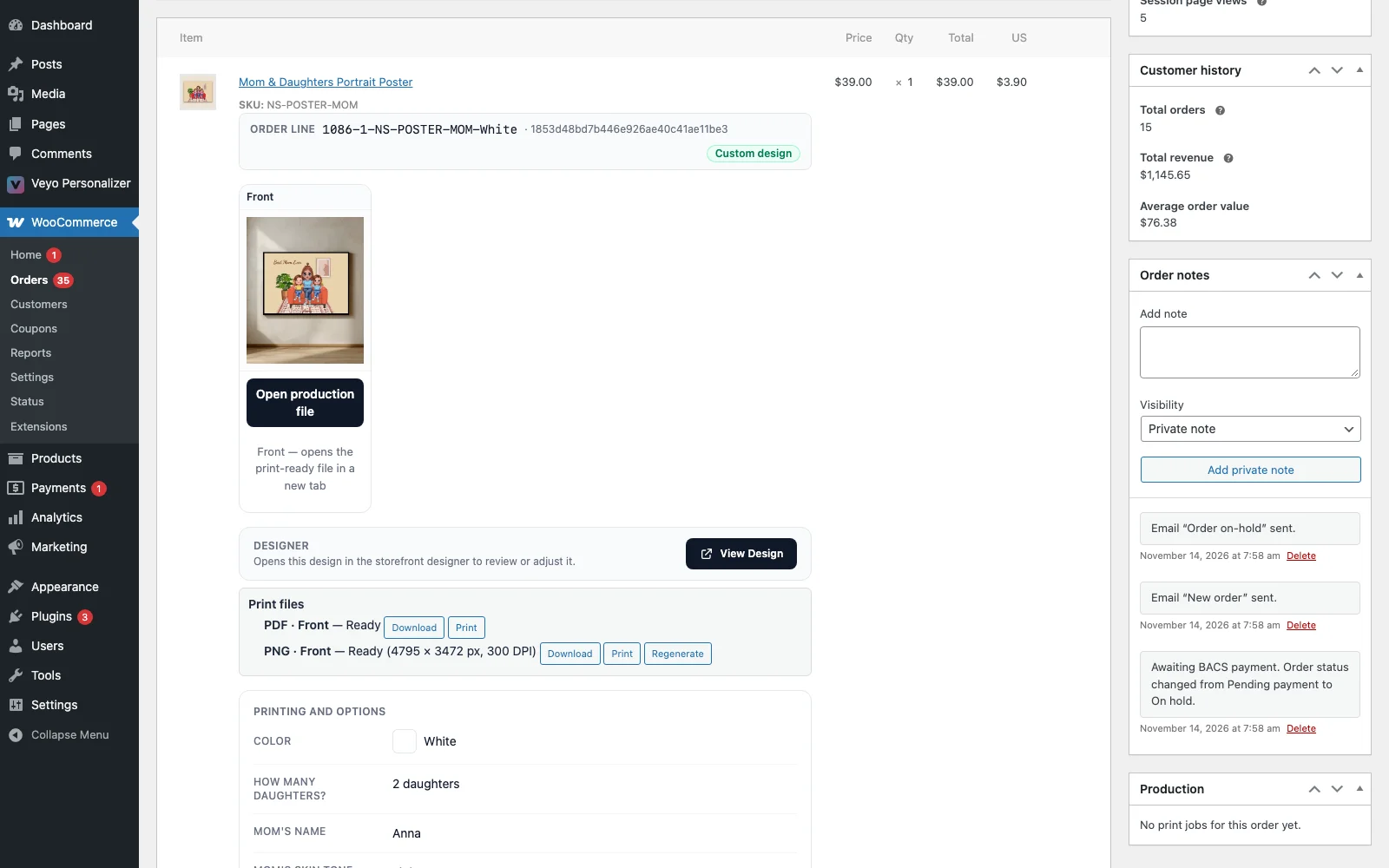
- Required answers, hidden fields and allowed values are checked again on the server when the item is added to the cart. The answers show on the cart and order lines.
- Each order line gets a print file at the print area’s physical size: a PNG at 300 DPI, plus PDF/X when the server has ImageMagick and Ghostscript (optional).
- Under each order line, staff see Print files with Download, Print and Generate now / Regenerate. Links are for staff who can manage the catalog; shoppers never see them.
- On WooCommerce the files are rendered in the background (WP-Cron, every minute). OpenCart and PrestaShop render them right after checkout, or when staff open the order.
- The print area needs a physical size (width and height in cm on the catalog product); without one, the row shows the reason.
At a glance
| Version | 1.0.6 |
|---|---|
| Platforms | WordPress + WooCommerce, OpenCart 4, PrestaShop 8 & 9 and Shopware 6.6 / 6.7 |
| Requires | Veyo Product Personalizer 1.10.0 or later. No other addons. |
| Where settings live | Catalog → Make It Mine (templates, questions, products) |
| Server tools / outside services | The order print files are made on the server: PHP exec(), librsvg and ImageMagick for the PNG, plus Ghostscript for PDF/X (optional). If your host disables exec() you can still export: the Download PNG button on the order’s production page renders the file in your browser instead, at 300 DPI. |
FAQ
How is it different from Templates & Smart Layouts?
Templates give shoppers a starting design inside the full designer. Make It Mine replaces the designer with a short form on the product page, for products where shoppers only fill in their details.
Do I need to write code?
No. Layers are tagged in Design Studio and the questions and rules are set in the admin. Edit as JSON is there if you prefer to see the whole option set at once.
Does it work on phones?
Yes. On a phone the form stays full width and a bar under it shows the design as it changes; tapping it opens a larger view with Close-up and Whole product.
Can one template sell on several products?
Yes. Attach it to as many store products as you like on the Products tab; products on another base product get the design fitted to their print area.