Addons
Addons are small, focused extensions to the core plugin. Install only what your shop needs — each takes about a minute to add. Click an addon below for its full setup and usage guide.
Installing an addon
-
Download the addon ZIP
After purchase, the addon ZIP is in your Polar purchase email (and the Polar customer portal), just like the core plugin. Don't unzip it.
-
Upload it
Open Veyo Personalizer → Extensions. Click Upload ZIP and choose one or several ZIPs. Veyo verifies each package and installs it alongside the core plugin.
-
Enable it
New addons install disabled. Accept the prompt to enable them (or use the toggle). Its features appear in the designer and/or in the relevant admin menu.
Removing an addon: click Uninstall on its card. Its files are removed and it is switched off, but its data (rules, templates, presets…) is kept. See Uninstalling & your data. Updating: upload the newer ZIP; settings and data stay (Upgrading).
Free addons

Background Remover
Remove backgrounds from uploaded images directly in the designer.

Default Text Layer
Configure the default text layer used by the Add Text button.

Design Tools
Vector shapes, emoji text, and print rulers.

PDF Upload
Import the first page of a PDF as a high-res image.

QR & Barcode
Production-ready QR codes and barcodes.

Text Curve
Curved text with arch, spacing, and direction controls.

Privacy
GDPR tools: store-hosted Google Fonts, consent for third-party services and data requests by email.

Studio Features
Choose per product which Design Studio tools shoppers get: text only, clipart only, no uploads, no Team Names.
Paid addons
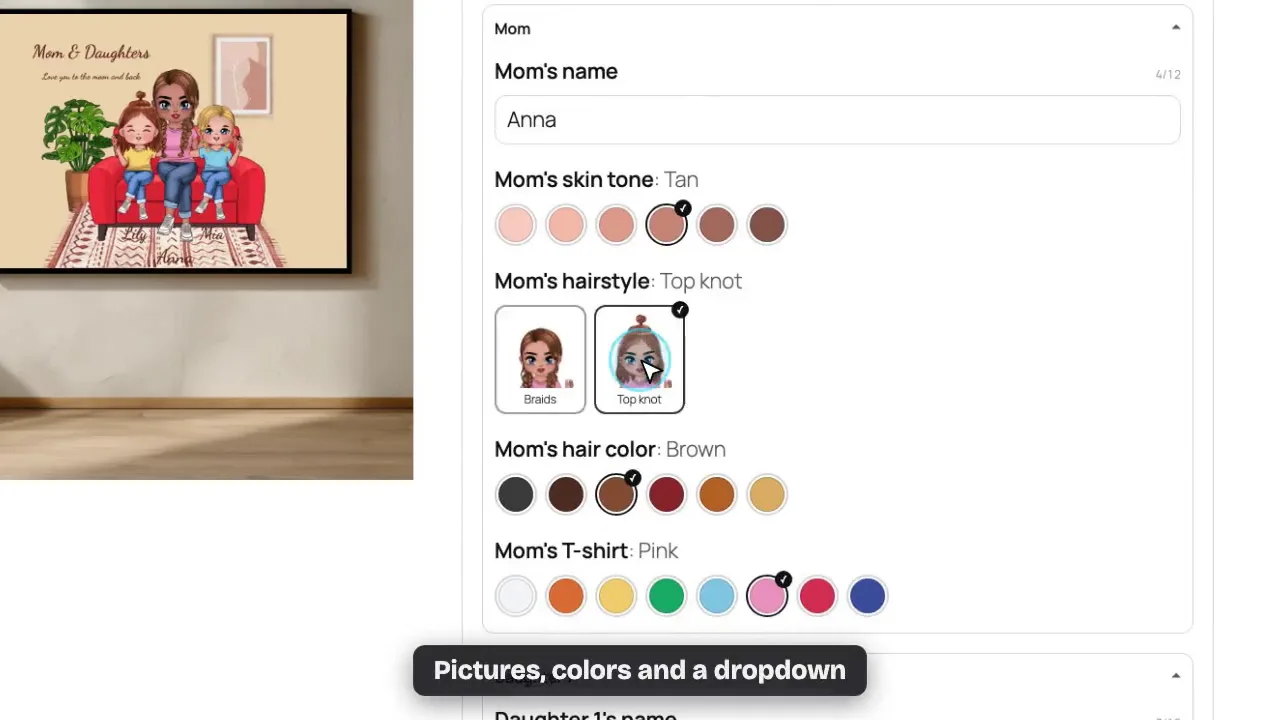

Make It Mine Best for gifts
Shoppers answer a short form (names, colors, a photo) and the product redraws live with every answer. Every order gets a 300 DPI print file. WooCommerce, OpenCart, PrestaShop, Shopware.

Stock Images
Search and import commercial-friendly stock images.

Team Names & Numbers
A name, number and size per item of a team order, with a print file per person.

Bulk Personalization (CSV)
One design, a list of names: a preview and a print file per row. Needs Veyo 1.10.0.

Typography Pro
Production-safe text effects, presets, and Smart Badge.

Templates & Smart Layouts
Reusable design templates customers load in one click.

Image Cropper
Non-destructive, Canva-style image cropping.

Mask Images
Per-view mask images above mockups and print areas.

Embroidery Pack
Realistic embroidery stitch rendering and export.

Laser Engraving
Material preview, photo dithering and laser-ready SVG / 1-bit PNG files.

Printing & Pricing
Printing types, pricing rules, and suggested pricing.

AI Image Tools
AI upscale and background removal for uploads. WooCommerce, OpenCart, PrestaShop, Shopware.

Print Preflight
DPI, bleed, safe-zone, and contrast checks.

Designer Analytics
Designer funnel and abandonment reports. WooCommerce, OpenCart, PrestaShop, Shopware.

Smart Configurator
Priced options and design rules. WordPress, OpenCart, PrestaShop and Shopware.

Proof & Approval
Customer proof approval before printing. WordPress, OpenCart, PrestaShop and Shopware.

Print Queue
Stations, hotfolders and scan-to-advance production. WordPress, OpenCart, PrestaShop and Shopware.

Cart Cleanup
Delete designs left in abandoned carts. WooCommerce, OpenCart, PrestaShop, Shopware.

Dynamic Pricing
Size, area, setup and quantity pricing rules. WooCommerce, OpenCart, PrestaShop, Shopware.

B2B Brand Kit
Logos, colours and fonts per business customer, with strict on-brand checks. WooCommerce, OpenCart, PrestaShop, Shopware.
Coming soon
These addons are not available yet. They have no checkout until they are released.
